Tutorials
Put a Seldon Function inside your application
Three code-first tutorials connect an existing AI call, the Functions dashboard, hosted execution and independent application evaluation.
Your application prepares inputs and decides what to do with the result. Seldon optimizes one bounded function in the middle. These tutorials start with that application's code, move into the dashboard to compare implementations, and return to code to call the revision you choose.
Start with redaction. The examples use short fictional inputs, not customer data. Each page supplies all its Python helpers; paste its Python blocks in order into a separate script. No private demo code or management tokens are required. The original model and compiled function both use the public chat-completions API; creation, optimization and activation happen in the dashboard.
Prepare your environment
You need Python 3.12, a Seldon workspace, an application API key, and owner/admin permissions to authorize paid optimization and activation. Sign up opens a workspace with $10 in credits. Keep API keys in environment variables, never in imported requests, screenshots or source control.
python3.12 -m venv .venv
source .venv/bin/activate
python -m pip install httpx jsonschema
export SELDON_BASE_URL="https://api.seldon-ai.com/v1"
export SELDON_API_KEY="YOUR_APPLICATION_API_KEY"
export SELDON_REFERENCE_MODEL="openai/gpt-5.4-nano"
Choose a reference text model available to your workspace that supports JSON-schema structured output; keep it fixed while comparing. The base URL includes /v1. The snippets use HTTP directly so you can see the wire contract; an OpenAI-compatible SDK works too. Trace analytics adds local embedding dependencies on its page.
The scripts do not make paid requests unless you explicitly set RUN_PAID=1. Run them without it first to construct the request and exercise local preparation. Before enabling calls, set an API-key spending limit in API keys and review billing and limits. A small input batch is not a dollar guarantee. Compilation, Try, Compare on this input, reference calls and function calls can all incur charges.
Import the request after trying the original call
Each tutorial builds a request from the same prompt, schema and example input used by its original API call. Copy the printed import JSON, then open Functions → New function → Import and save the draft. Saving is free.
These examples import a single chat request: the last user message is variable, while earlier messages are fixed. Inspect Contract and confirm the prompt and output schema before paying for preview. Do not paste API keys, evaluation labels or an entire application into Import.
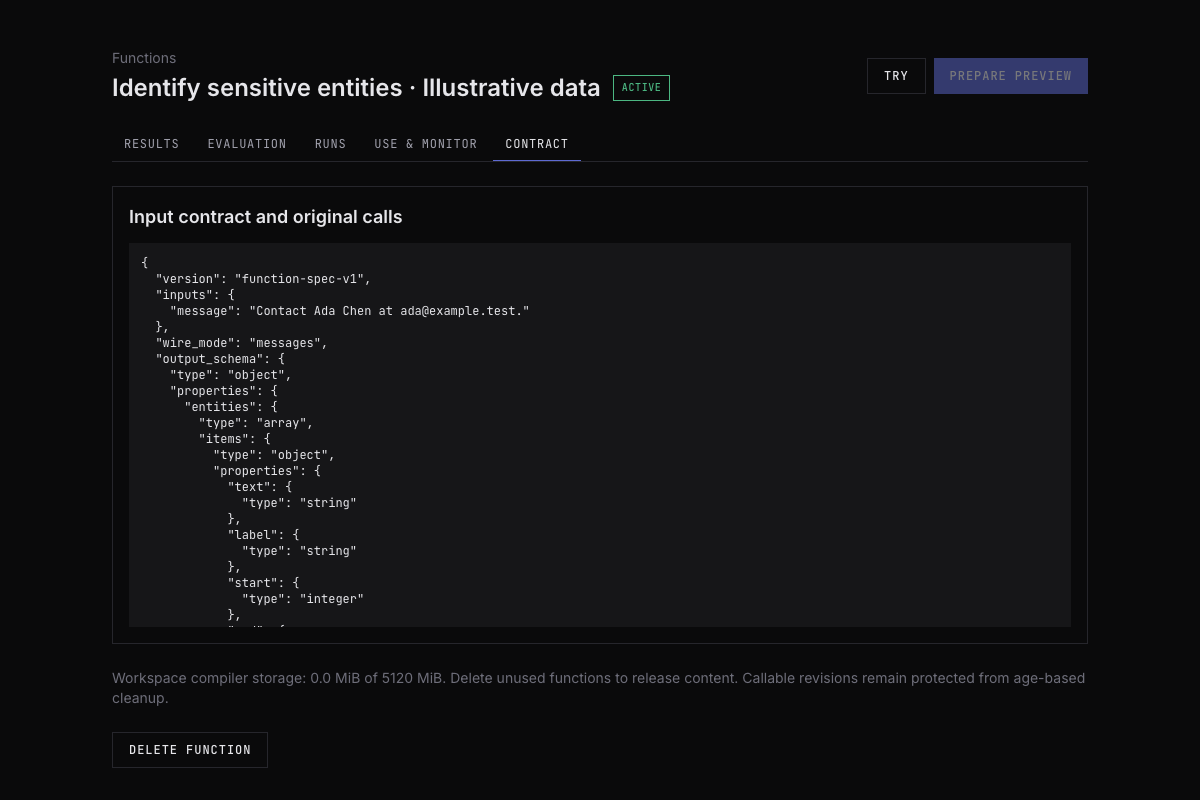
The demo research scripts sometimes used an explicit input-object workflow. These tutorials use single-request imports for a smaller starting point. Do not mix their invocation shapes: a single-request function preserves fixed messages and supplies fresh user text; an input-object workflow sends one JSON object. The generated Use & monitor example is authoritative for the function you actually saved.
Review Evaluation before optimizing
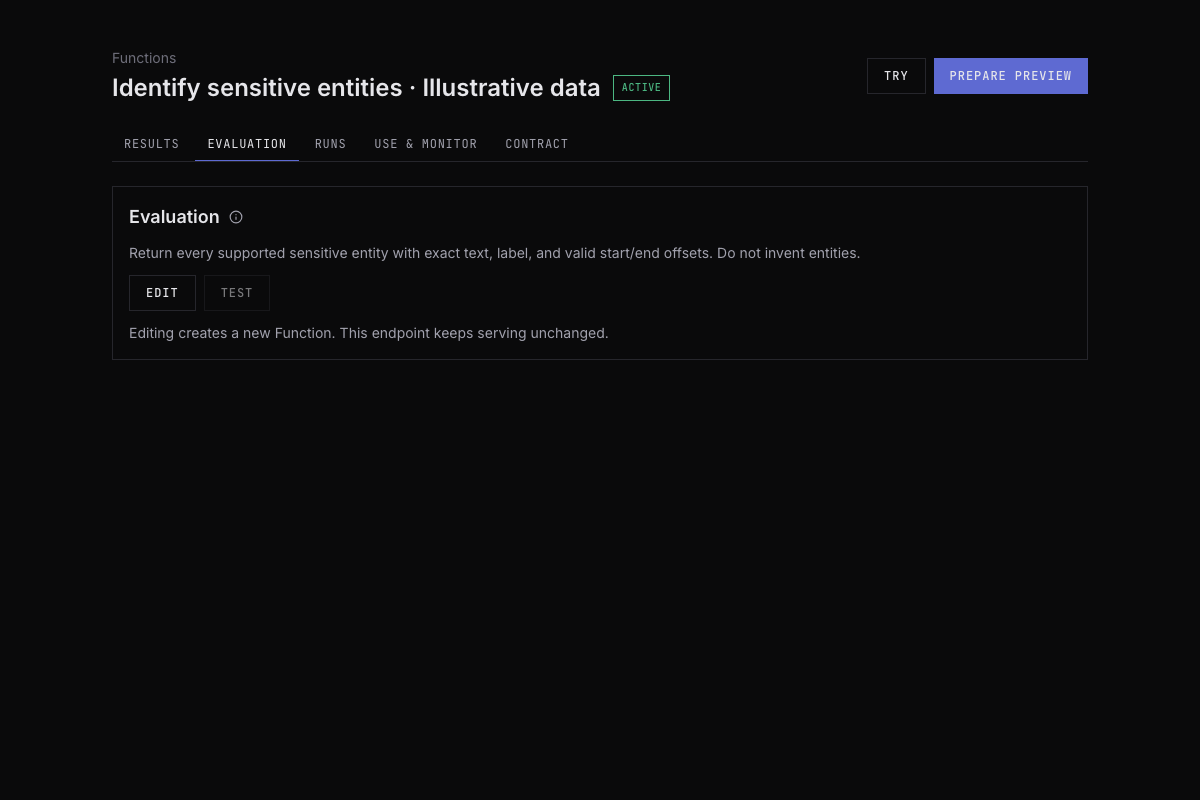
Inspect Evaluation: what does a passing answer mean? Review checks for ordinary, empty, ambiguous and conflicting inputs. Edit the evaluation if it rewards a different task from the one your application needs. New changes apply to future runs; do not change the scorer after inspecting held-out outcomes.
Generated examples and evaluator pass rates do not establish performance on customer traffic. Expected answers can enable task metrics when configured; otherwise a pass rate is the evaluator's assessment, not labeled fraud F1 or privacy recall. Keep your application test examples separate from search. See Evaluation for supported imports and metrics.
Authorize and follow a bounded run
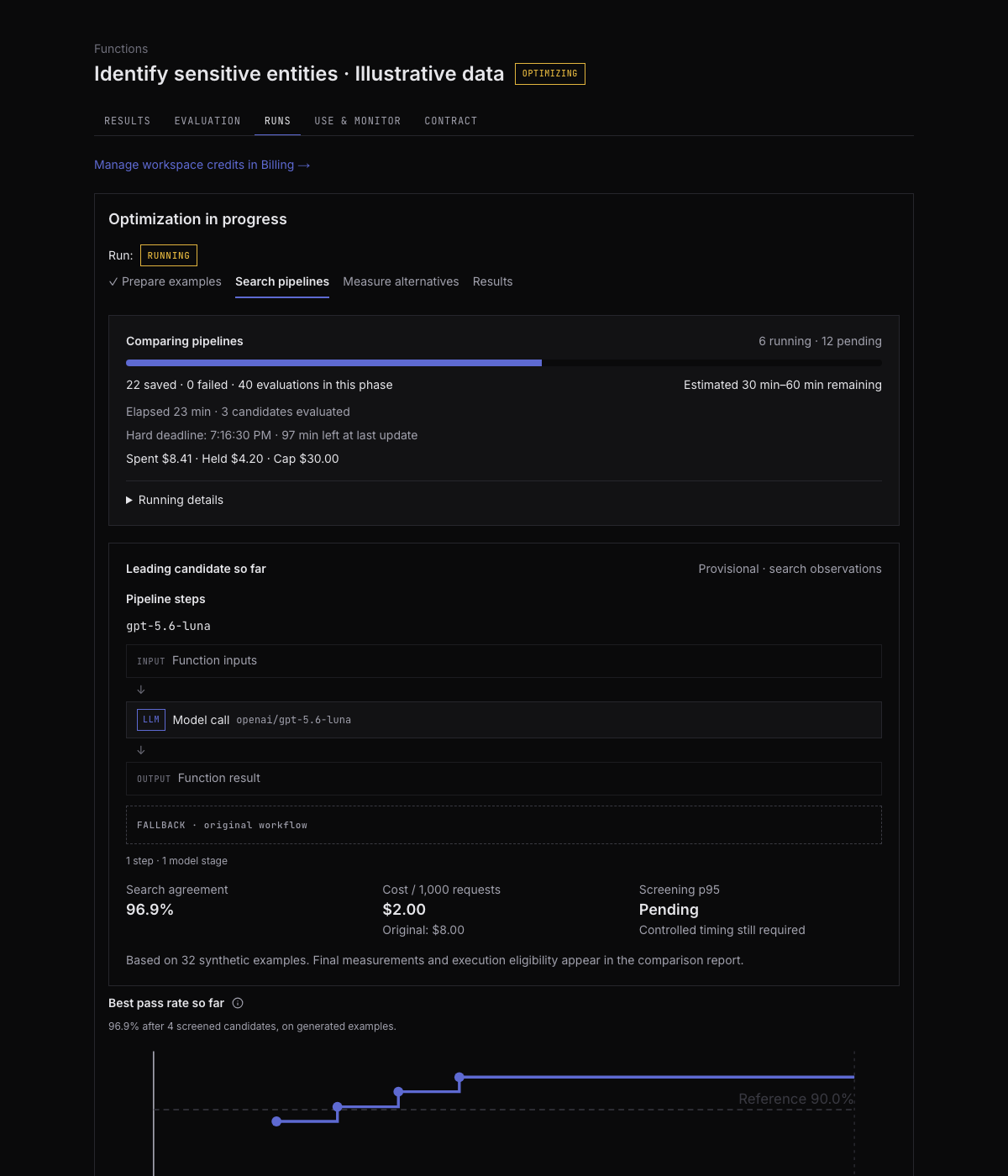
Choose Lower cost, Lower latency, or Higher task quality. Start with a compile cap you are comfortable spending, such as $10, then Prepare preview. Review assumptions and the quote. If the quote is infeasible, stop and inspect it; do not repeatedly create paid previews or automatically raise the cap. Choose Optimize only after reviewing the current feasible quote.
The cap covers preview, search and measurement, including unsuccessful work. It is separate from serving spend. Quality, cost, latency and named metric targets guide search; they do not enforce a production SLO or automatically decide activation.
In Runs, inspect stage, deadline, spending and completion status. You can leave and return while work continues. Cancel run stops new work; already incurred usage remains charged. Refreshing the page is not a reason to launch another run. An incomplete run is not a successful qualification.
Read Results as a decision, not a leaderboard
Select an alternative in Results and inspect it beside the reference:
The dashboard's measured execution cost and latency are not the full application cost, total compile charge, or client-side timing. Projected savings depend on their stated assumptions. Keep those quantities separate in your own report.
Try a fresh input under Try input JSON; a single imported request normally exposes a message field, but copy the field names shown for your saved contract. Try charges usage. Compare on this input runs both the candidate and reference and can cost more. Retrieve an existing execution instead of paying to rerun it just to see the output again.
If no alternative meets your acceptance criteria, keep the original and record the negative result. Do not choose a worse implementation merely to finish the tutorial. Targets are preferences, and an executable candidate can still be a poor business choice. For exact table meanings, see Compare and activate.
Activate deliberately, then return to code
Choose Activate… only for a revision you accept. Read and acknowledge any warnings. This makes a revision callable; it does not rewrite your application or redirect unrelated traffic.
Open Use & monitor and copy the alias and generated request. The stable alias follows your active revision; a pinned alias keeps this experiment on one activated revision:
export SELDON_FUNCTION_MODEL="seldon/function/FUNCTION_ID@REVISION_ID"
export RUN_PAID=1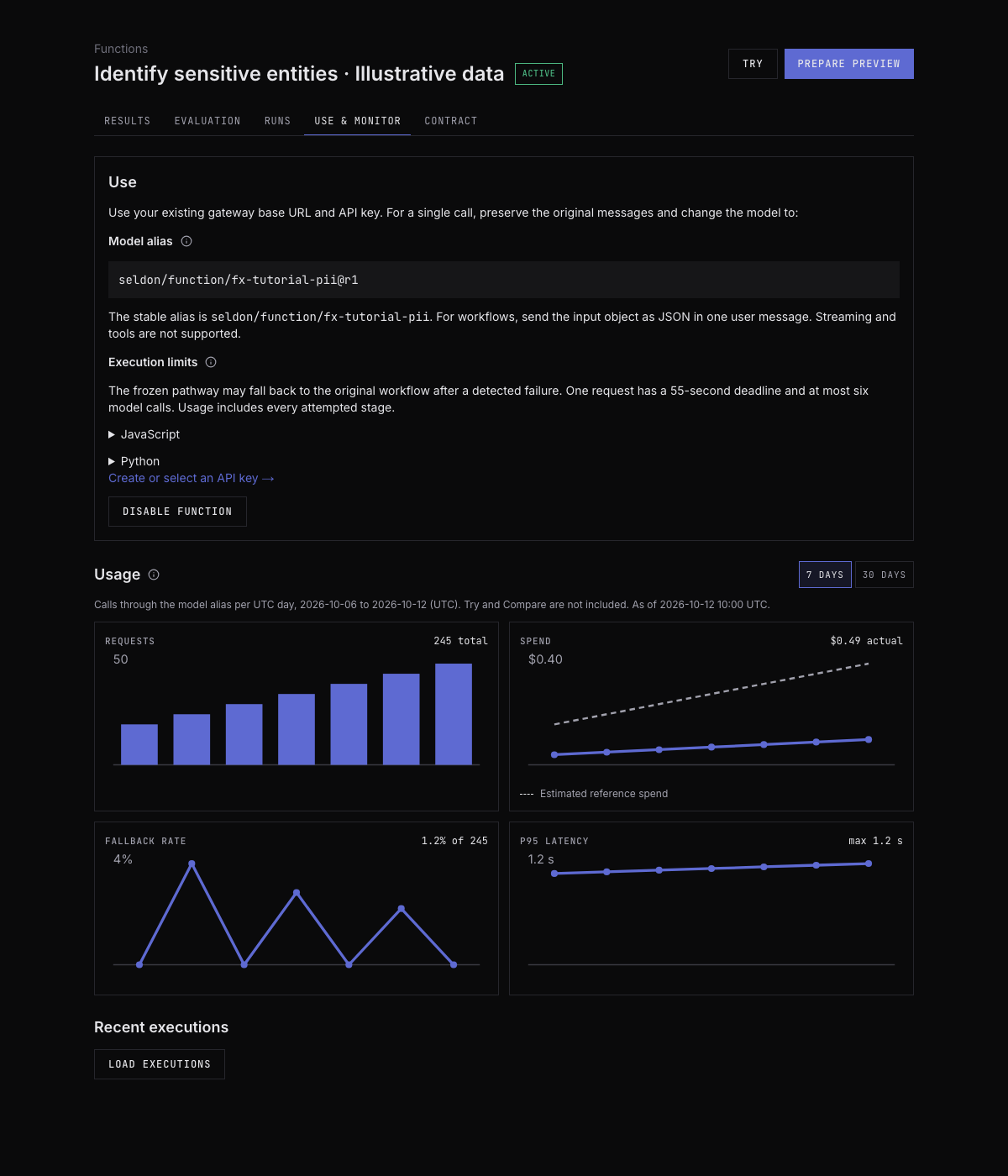
In these tutorials, preserve the original messages and substitute fresh text only in the last user message. Do not send a JSON input wrapper to a single-request import. Record function_id, revision_id, execution_id and fallback_used from response metadata when available. Fallback handles detected execution failures, not silently wrong answers.
Finally, run the tutorial's external checks. Report completion failures alongside quality and compare the same input IDs. Stop on an authentication or spending error instead of blindly retrying paid calls. The snippets use bounded request timeouts and no automatic retries; production retry guidance is in Call from your app.
Continue with redaction, trace analytics, or payment risk.